
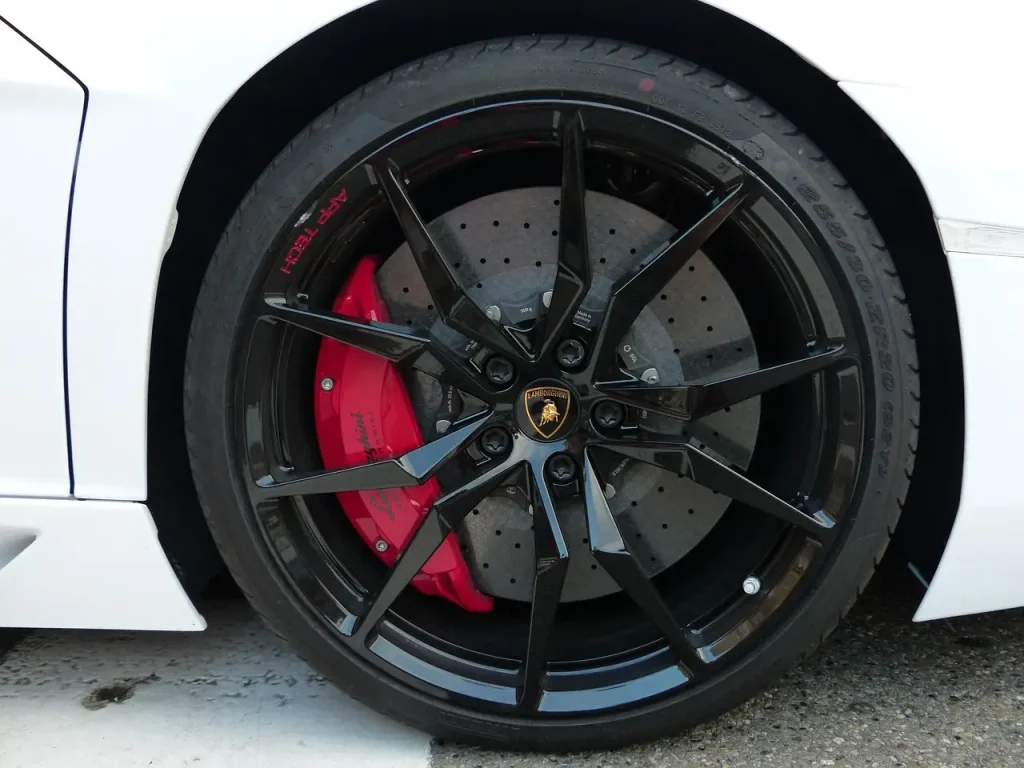
You can suspect bad rotors without removing the wheel by checking through the spokes for heavy grooves, blue spots, cracks, or a lip on the edge, then confirming with brake-pulse, noise, and side-to-side comparison. Missing the real fault can lead you to replace good pads or calipers while the vibration keeps getting worse. This guide gives a quick no-wheel-removal decision flow to separate rotor wear from pad, tire, and caliper problems in minutes.
What you’ll need
- Bright flashlight or shop light
- Gloves
- Flat, safe parking spot
- Wheel chocks
- Paper towel or clean rag
How can I tell if my rotors are bad without taking off the wheel?
Start with a visual check through the spokes, then road-test the car for pedal pulsation, steering shake, and brake noise. A wheel-spoke inspection can flag surface damage, but it cannot confirm minimum thickness or lateral runout. Use it as a screen, not a final verdict. OEM service manuals and brake technical references are consistent on this point: rotor serviceability depends on minimum thickness and runout/thickness variation, not appearance alone.
Quick yes/no flow: if you see a crack, heavy grinding, a deep blue hot spot, or a wheel that gets abnormally hot after a short drive, stop driving and inspect immediately. If the shake happens only when braking, suspect rotor runout, thickness variation, pad transfer, or caliper drag. If the shake happens even when you are not braking, look first at tires, wheel balance, or wheel bearings. If the symptom is front-only steering shake, start at the front rotors; if it is mostly pedal pulse or seat shudder, check the rear axle as well.
Use the spokes and a light
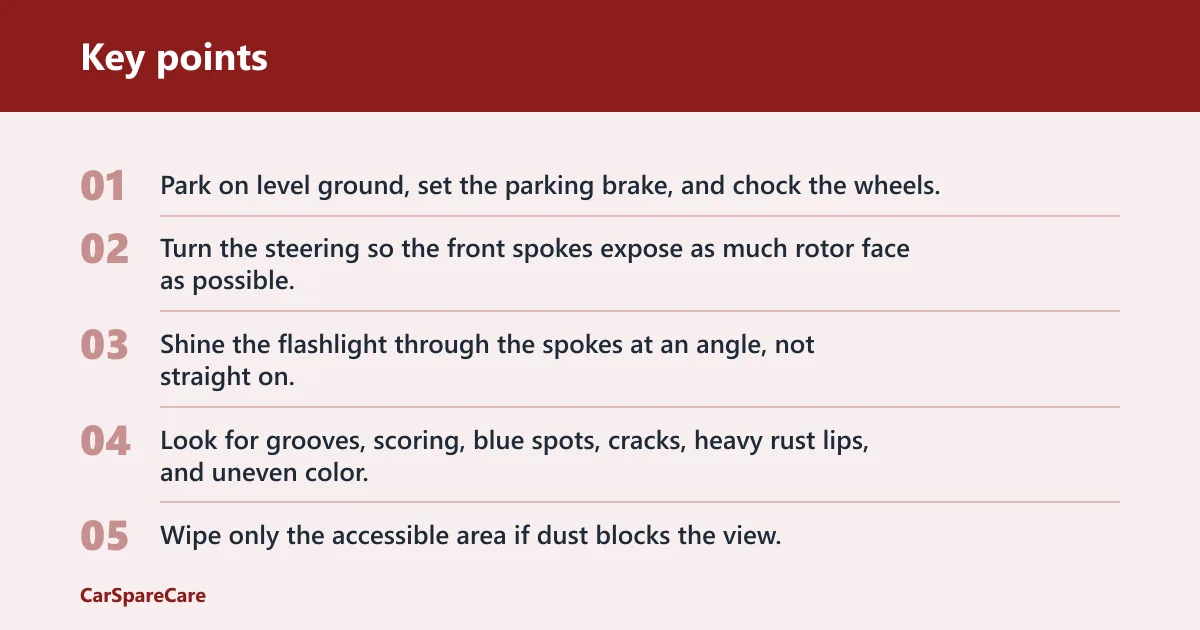
- Park on level ground, set the parking brake, and chock the wheels.
- Turn the steering so the front spokes expose as much rotor face as possible.
- Shine the flashlight through the spokes at an angle, not straight on.
- Look for grooves, scoring, blue spots, cracks, heavy rust lips, and uneven color.
- Wipe only the accessible area if dust blocks the view.
Use this 3-step decision check
| Check | Yes | No |
|---|---|---|
| 1. Visible rotor damage through spokes? | Move to road-test symptoms. | Rotor damage is not obvious yet. |
| 2. Brake pedal pulsates, wheel shakes, or noise changes with braking? | Rotor, pad transfer, caliper, tire, or bearing check needed. | Look harder at tires, suspension, or hub play. |
| 3. Severe grinding, crack, or heavy lip seen? | Stop driving and arrange inspection. | Continue the symptom map below. |
If rotors bad quick table
| When it happens | Most likely cause | Can you keep driving? | What confirms it |
|---|---|---|---|
| Only when braking, especially light to moderate pressure | Rotor runout, thickness variation, or pad transfer | Maybe for a short, careful trip only if there is no grinding, pull, or heat | Brake pulse repeats at the same road speed; visible heat spots or uneven pad imprint |
| At steady speed with no brake input | Tire balance, bent wheel, or wheel bearing | Usually yes until diagnosed, unless vibration is severe | Shake continues off-brake; balance pattern or bearing noise changes with steering load |
| One wheel smells hot or looks much darker after a drive | Sticking caliper or seized slide pin | No, not for long | Heat mismatch side to side; one pad much thinner than the other |
| Grinding, scraping, or metal-on-metal noise | Pads worn through, rotor damage secondary | No | Pad friction material is gone or backing plate is contacting the rotor |
| Brake pulse with front-end steering shake | Front rotor issue more likely than rear | Use caution; inspect soon | Steering wheel movement appears only under braking |
| Brake pulse with seat shudder or rear-end thump | Rear rotor issue or rear caliper drag | Use caution; inspect soon | Pedal feel changes more than steering wheel feel |
What does a warped rotor feel like while driving?
A warped or uneven rotor can show up as brake pedal pulsation during light braking, often first around about 30 to 60 mph, with the pedal pushing back in a rhythmic way. On the front axle, it may also create steering wheel shake. Rear rotor issues more often show up as pedal feel or noise than steering motion. In service manuals and brake technical bulletins, the underlying causes are usually described as lateral runout, disc thickness variation, or uneven pad material transfer rather than true “warping.”
What the symptom timing means
If the vibration only appears when the brakes are applied, rotor runout, thickness variation, or pad material transfer rises on the list. If the shake shows up even when you are not braking, tire balance, a bent wheel, or wheel bearing play becomes more likely.
Map the feel to the likely source
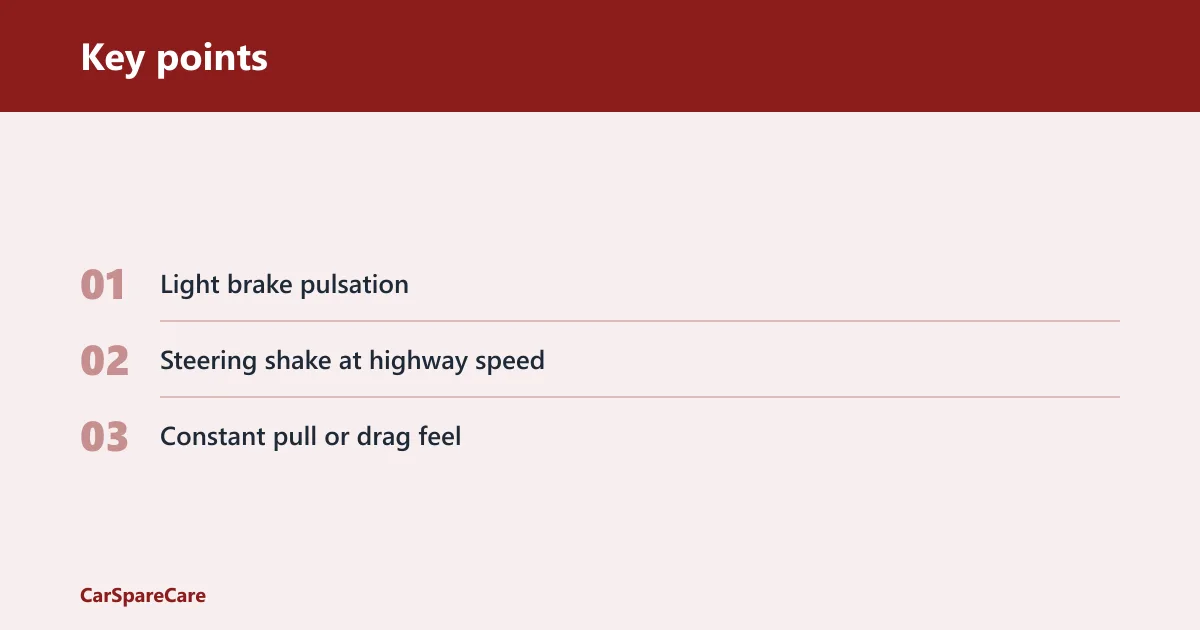
- Light brake pulsation: rotor runout, thickness variation, or pad transfer.
- Steering shake at highway speed: front rotor issue, tire balance, or front wheel bearing play.
- Constant pull or drag feel: sticking caliper or seized slide pin.
Can you inspect brake rotors through the wheel spokes?
Yes, you can inspect the visible rotor face through the wheel spokes for obvious wear, but you cannot verify thickness, lateral runout, or the hidden side of the disc this way. A flashlight matters because daylight alone often hides fine scoring and heat spots behind the wheel barrel. OEM service data and Bendix/Wagner/Raybestos-style brake guidance consistently treat spoke inspection as a screening step, not a substitute for measurement.
What to look for first
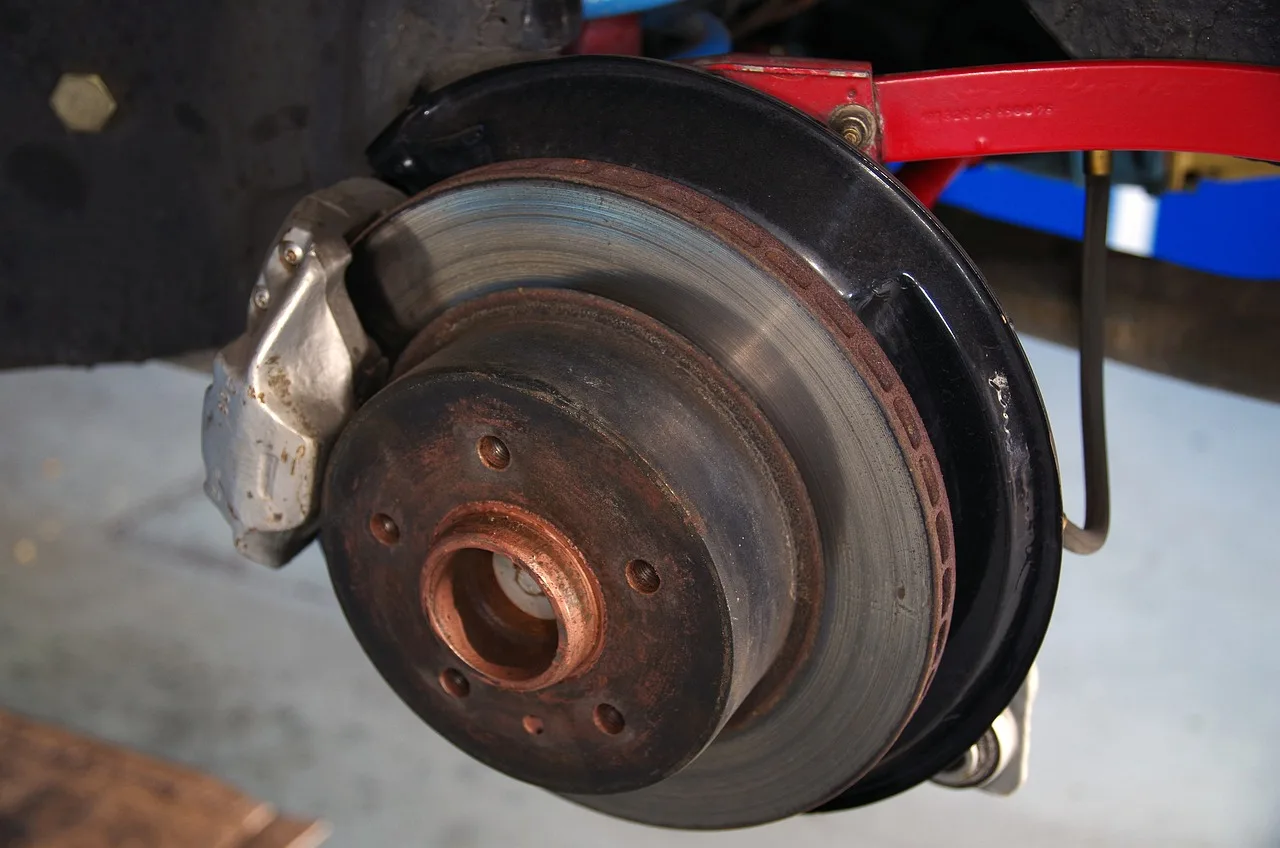
Check for scoring, grooves, blue spots from heat, cracks near the outer edge, and a heavy rust lip around the perimeter. Uneven surface color can point to pad material transfer or a hot spot. Compare the same axle side to side; a bad rotor often looks worse than the opposite side. Heat checking usually appears as very fine hairline marks or a spiderweb pattern on the friction surface, while true cracks are wider, deeper, and may reach the edge or hat area.
What you cannot confirm without removal
You cannot measure minimum thickness through the wheel, and you cannot confirm lateral runout with confidence. Many manufacturers stamp the minimum thickness on the rotor hat or list it in service data. Measuring that value requires a rotor micrometer, which usually means removing the wheel and, in many cases, the caliper. Thickness variation and runout are the key service thresholds used in OEM manuals and brake technical docs; if either exceeds spec, the rotor is not considered serviceable even if it still looks smooth.
Brake rotor symptom checklist
Use the road test as a yes/no filter. If the visual check and the drive symptoms match, rotor trouble climbs higher. If the symptoms point elsewhere, do not keep blaming the disc just because it is easiest to see.
Pedal pulsation
If the brake pedal pulses under light braking, especially at moderate speed, suspect rotor thickness variation, lateral runout, or pad material transfer. A pulsation that is strongest during gentle braking is a classic clue. A hard stop can hide it.
Steering wheel shake
If the steering wheel shakes during braking at highway speed, the front rotors deserve close attention first. Front-brake problems transmit into the steering more easily than rear-brake problems. If the shake stays when you are not braking, tire balance or wheel issues move up the list.
Squeal, scraping, and grinding
Squeal often comes from pad wear indicators, glazed pads, or pad-to-rotor contact noise. Scraping can mean a pad backing plate is touching metal, and grinding usually means the pads are worn past the friction material. A rotor can be damaged in the process, but the noise often starts at the pad. For a deeper guide to pad wear signs, see brake pad wear.
Is brake shaking always caused by bad rotors?
No. Brake shake can come from tire imbalance, wheel bearing play, pad transfer, a sticking caliper, or even a bent wheel. The key is whether the symptom happens only while braking or also at steady speed. That split matters more than the word “warped.”
Tire imbalance clues
Tire imbalance usually shows up as a shake at a narrow road-speed range, often without brake use. If the steering wheel vibrates on the highway and the brakes feel normal, start with wheel balance and tire condition before blaming rotors. For a related breakdown, see tire balance vibration.
Wheel bearing clues
A worn wheel bearing can create humming, growling, or loose-feeling vibration that changes with steering input. If the noise gets louder when you swerve gently left or right, the bearing deserves attention. Brake application alone does not usually create that pattern. For symptom matching, see wheel bearing noise.
Pad transfer and glazed pad clues
Pad material transfer can mimic a warped rotor by creating uneven friction on the disc surface. Glazed pads can squeal and reduce bite without deep rotor damage. A shiny, glassy pad face with uneven rotor color points to friction material trouble as much as rotor wear. For more on worn friction material patterns, see brake pad wear.
How to separate rotor problems from pads and calipers
Rotor trouble often leaves a matching pad pattern, but not always. Uneven pad wear, a dragging brake smell, or one hot wheel after a drive can point to a caliper fault instead of a rotor problem. Look at the whole corner, not only the disc face. If you need a targeted next step, compare this with caliper sticking.
Pad thickness and wear indicators
If the pads are thin, cracked, or down to the wear indicator tab, they can squeal and scrape before the rotor itself reaches failure. A worn pad can also deposit uneven friction material onto the rotor. Through the wheel, look for one pad much thinner than the other on the same caliper.
Sticking piston and slide pin seizure
A sticking piston or seized slide pin can hold one pad against the rotor and create heat spots, odor, and rapid wear on one side. The rotor may show blueing or patchy color, but the root cause is caliper drag. A wheel that feels unusually hot after a short drive is a warning sign.
Uneven pad wear and dragging brake signs
If the inner pad is far thinner than the outer pad, the caliper may not be sliding freely. If the car pulls to one side, rolls poorly, or smells hot after minimal braking, stop and inspect. Those signs point away from a simple rotor surface issue.
Front and rear rotor clues
Front rotors usually affect steering wheel feel more because the front axle does most of the braking and sits closer to the steering system. Rear rotor problems often show up as pedal feel, shudder through the seat, or rear-end noise. That axle split helps narrow the fault fast.
Why front rotors often affect steering
Steering wheel shake during braking is a front-brake clue because the front hubs feed vibration into the steering linkage. If the shake is strongest between 40 and 70 mph under light pedal pressure, the front discs deserve priority over the rear ones.
Why rear rotors may feel different
Rear rotor trouble is less likely to shake the steering wheel. It may show as a soft pulse in the pedal, a thump from the rear, or a light scraping noise. A rear issue can still matter, but it usually does not steer the car with the same force.
Why axle location changes the symptom
The same fault can feel different depending on where it sits. Front brake problems travel into the steering wheel; rear brake problems travel into the seat and pedal. That is why a no-wheel-removal check should always pair the visual clue with the axle location.
Common mistakes and stop-driving signs
Do not assume every shake is a rotor. Do not ignore a cracked disc, a heavy rust ridge, or grinding noise. A visual check can screen for trouble, but it cannot prove the rotor is within thickness spec or free of runout.
Common mistakes
- Blaming rotors when the vibration happens even with no braking.
- Missing pad transfer because the rotor surface looks only slightly discolored.
- Ignoring one-wheel heat, which points to a dragging caliper.
- Using a visual check as proof that thickness is safe.
When to stop driving now
Stop driving if you see a crack, hear grinding, smell burning brakes, or feel a sudden severe pull. Also stop if the pedal goes soft, drops low, or the car barely brakes. Those are roadside-caution symptoms, not “watch it for a week” issues. Rotor minimum thickness, runout, and thickness variation are safety thresholds, not cosmetic preferences; if the part is beyond spec, it should be replaced or corrected before more driving.
When to book a brake inspection
Book a full inspection if the visual check is unclear but the brake pulse keeps returning, if the steering shake appears only under braking, or if one wheel looks much hotter or darker than the others. A micrometer check for minimum thickness and a runout measurement need the wheel off. If you are comparing replacement options, use a dedicated guide like rotor replacement thickness measurement.
Frequently asked questions
How much rotor thickness is too low?
Too low means below the rotor’s stamped or service-manual minimum thickness. Measure with a brake rotor thickness micrometer after removing the wheel, then compare the reading to the spec. If the number is at or below minimum, replace the rotor rather than guessing from appearance. OEM service manuals and brake references treat minimum thickness as the hard stop for reuse, because below-spec rotors run hotter, crack easier, and lose reserve material for safe braking.
Can worn brake pads mimic bad rotor symptoms?
Yes. Thin pads, glazing, or pad material transfer can cause squeal, poor bite, and a pulse that feels like a warped rotor. Check pad thickness through the wheel opening if possible, but a worn pad can still hide rotor damage that only shows up after removal.
What noise do bad rotors make?
Bad rotors can cause squeal, scraping, or a rough grinding sound if the surface is badly worn or cracked. Squeal often points to pads first, while grinding usually means the pad material is gone and metal is contacting metal. Noise alone does not prove rotor failure.
When should I stop driving and get the brakes checked?
Stop driving if you hear grinding, see a crack, smell burning brakes, or feel a strong pull or weak pedal. Those signs can mean pad failure, caliper drag, or severe rotor damage. Arrange immediate inspection before another trip.
Sources

Hi, I’m Melvin, an automobile engineer with extensive experience in automobile equipment. I currently work for a local automobile firm, where I specialize in the car parts industry. I’ve had the opportunity to collaborate with seasoned inspectors, gaining invaluable hands-on experience that goes beyond just theory.
My passion for automotive care started at a young age, which led me to create CarSpareCare. Through CarSpareCare, I share the knowledge and skills I’ve acquired over the years to help others navigate the world of car maintenance and repairs.
My goal is to provide practical tutorials, essential safety advice, and the latest industry insights so that anyone—whether a beginner or an expert—can confidently tackle their automotive projects.

